Someone in your family films games with ClipPin and sent you a link. This page is for you.
What to do
Tap the link. That's the whole setup.
It opens in your web browser, like any other web page. There's nothing to install, no account to create, and no password to remember.
What you'll see
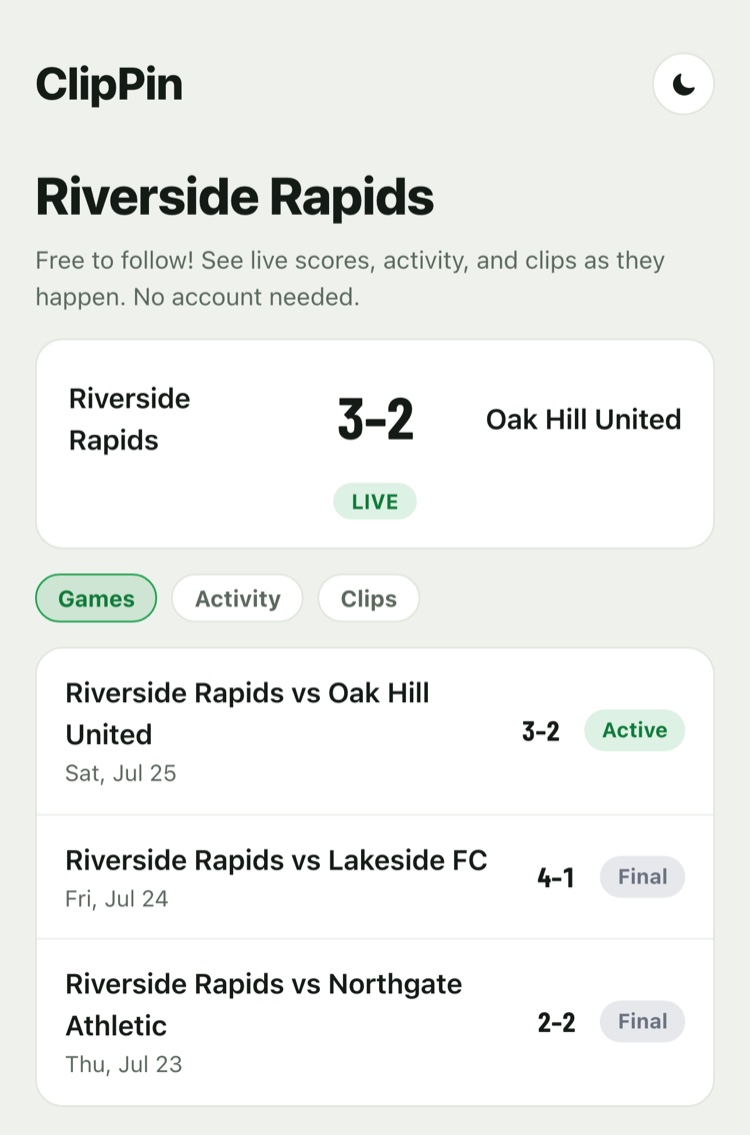
- During a game: the score, updating within seconds of the person at the field tapping it. Refresh isn't needed — it updates on its own.
- After a game: the clips — every play they marked, ready to watch.
- A running list of what's happened: games starting, scores, finals, and new clips.
Keep it handy
The same link works all season, for every game that team plays. Bookmark it, or add it to your phone's home screen so it opens like an app.
- On an iPhone or iPad: if you install ClipPin from the App Store, the link opens right in the app. Handy, but never required.
If something isn't working
- "This follow link isn't active." The link was turned off, or it was typed instead of tapped. Ask for a fresh one.
- No games yet? Games and clips appear as the team plays. Nothing to fix — check back on game day.
- Score looks stuck? It only moves when the person filming taps it, and they're busy watching the game. It'll catch up.
Stepping away
Open the menu and choose Stop Following. You can rejoin any time with the same link.
Still stuck? Email us at hello@getclippin.com.