You can delete your account yourself, right in the app. It's permanent, so here's exactly what happens.
Before you do it
If you only want to stop syncing, sign out instead — Settings → Sign Out keeps everything on your device and pauses syncing. Deleting is for when you want your data off our servers for good.
Cancel your pass separately if you have it. Subscriptions belong to your Apple Account, not your ClipPin account, so deleting here does not cancel your subscription or stop it renewing. See Manage or Cancel Your Subscription.
Delete it
- Go to Settings → Delete Account.
- Read the summary — it lists what goes and what stays.
- Tap Delete My Account.
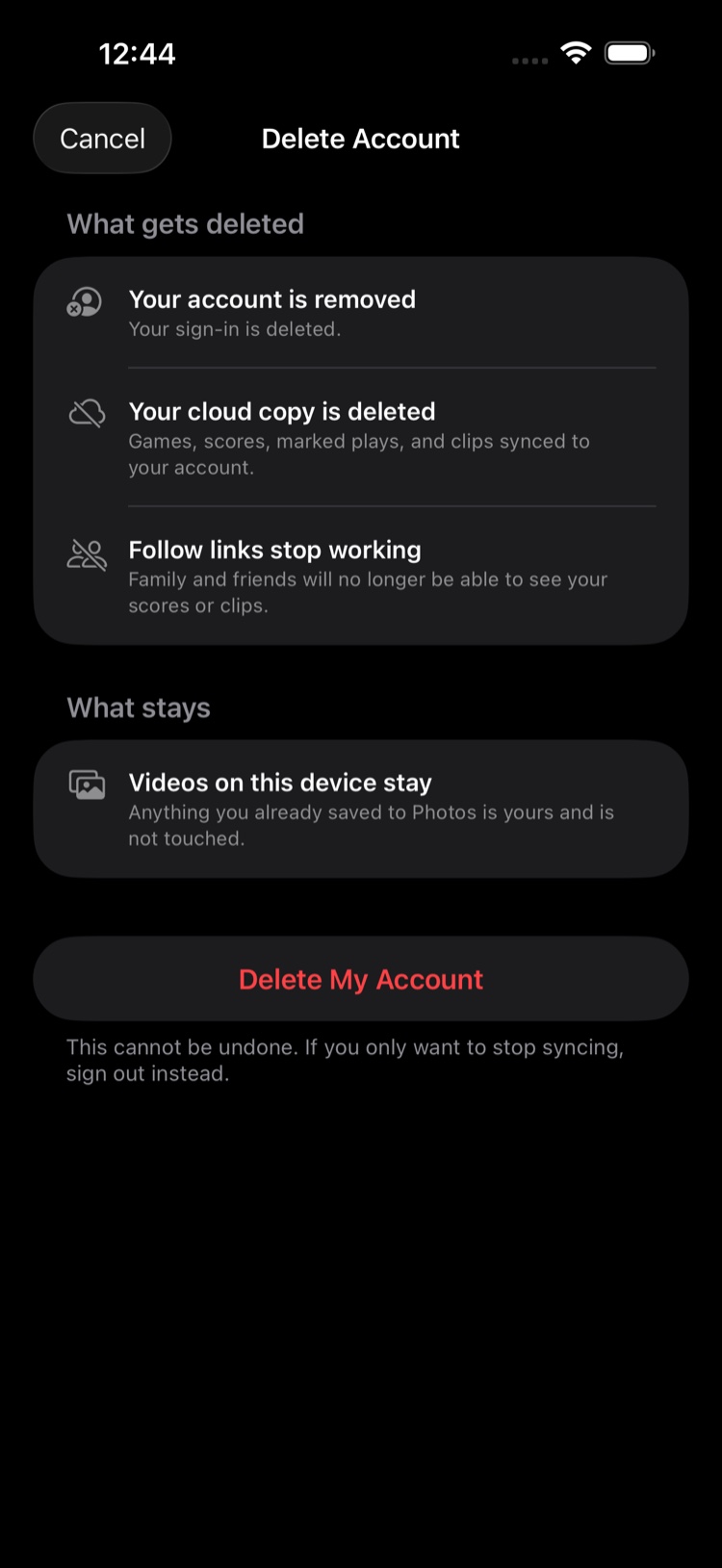
What gets deleted
- Your account — your sign-in is removed.
- Your cloud copy — games, scores, marked plays, and clips synced to your account.
- Follow links stop working. Family and friends will no longer see your scores or clips. Tell them first if that matters.
What stays
Everything already on your device. Clips you saved to Photos are yours, untouched. The app keeps working after the account is gone — you can film, mark plays, and make clips without an account, exactly as before.
This cannot be undone
There's no restore for a deleted account. If you sign up again later it's a fresh start, with no way to bring the old cloud copy back.
Next: Delete a Game or Tournament · Use ClipPin Without an Account
Still stuck? Email us at hello@getclippin.com.