Three tournaments later, "that one goal" is hard to find in your camera roll. The Clips screen is ClipPin's answer: every clip you've saved, organized by game, with search.
Open Clips from the home screen.
- Search for anything you remember — a team name, the button you tapped (Goal, Big play), a note you wrote, even the town the game was in.
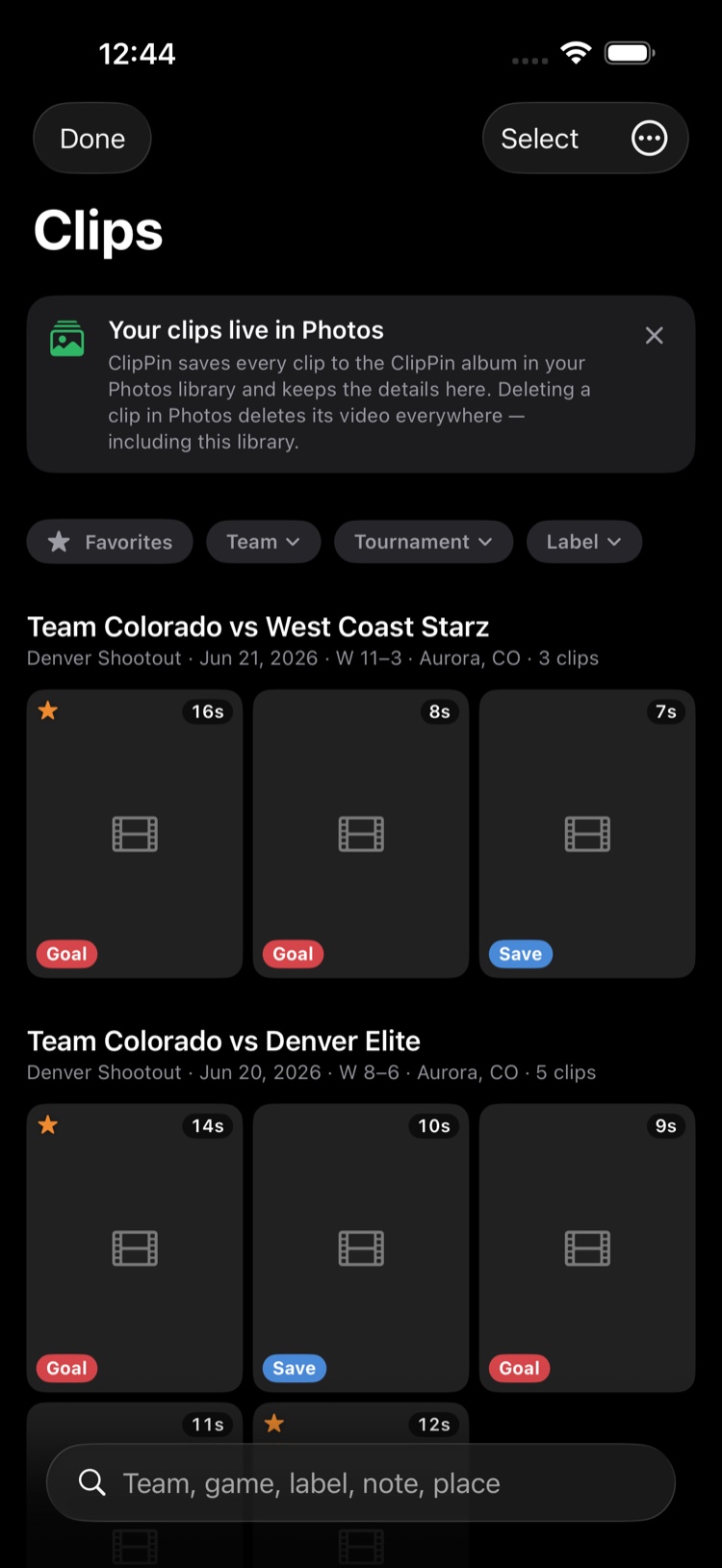
- Filter with the chips at the top — Favorites, a specific tournament, and more.
- Favorite the keepers as the season goes. By November, your highlight reel shortlist is already made.
- Select several and share — tap Select, pick your clips, tap Share.
Where the videos actually live
The Clips screen is a catalog, not a second copy. The videos themselves stay in your Photos app, so ClipPin isn't doubling your storage. If you deleted a clip from Photos, its card stays here — open the game and save that clip again to bring the video back.
On your other devices
Signed in, your clip list appears on every device you use. Videos upload over Wi-Fi so they can play everywhere (the Upload clips to web switch in the ⋯ menu turns this off). A clip that hasn't uploaded yet says Video Not on This Device.
Next: Share Clips and the Postgame Recap · Use ClipPin on More Than One Device
Still stuck? Email us at hello@getclippin.com.