Each quarter (or half, period, inning — whatever your sport uses) is its own recording. Here's the rhythm.
At the end of a quarter
- Press and hold the Hold · End Q1 button until it fills up. (The hold is on purpose — a stray tap can't end your recording.)
- The camera stays open on a break screen: "Q1 saved · 8 plays," with the score as two rows — team names with − and + buttons — and a big green Start Q2 button. The names follow your sport — H1, H2 for soccer halves.
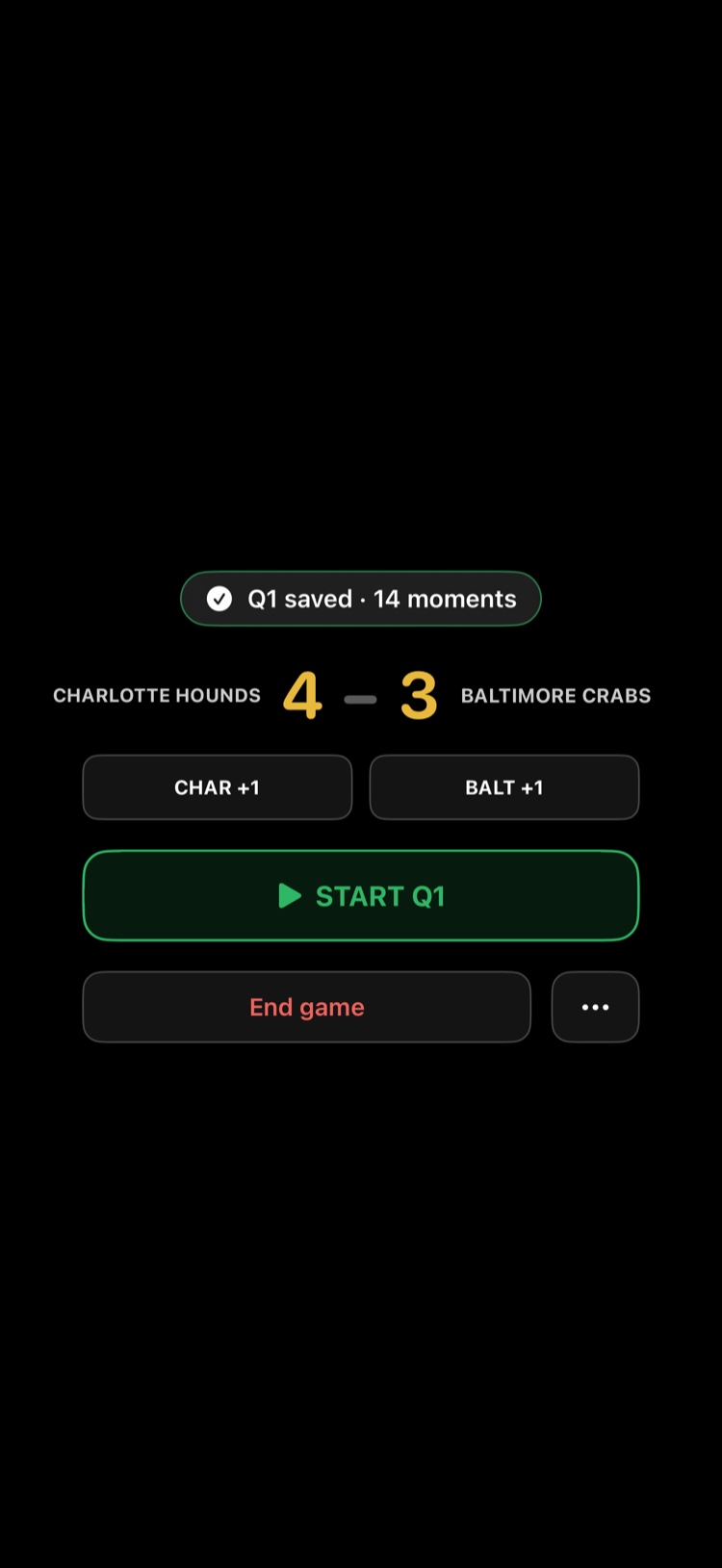
- Fix the score if you need to, then relax. If the break runs long, the camera goes dark to save battery — starting the next quarter wakes it.
- When play resumes, tap Start Q2.
Want to leave the camera during the break? End game and Close camera sit as text buttons under the Start button. Tap Close camera and, when you're ready to come back, a red button on the home screen returns you to the game.
At the end of the game
- After ending the last quarter, tap End Game.
- Enter the final score — optional, and editable later.
- You land on the clip screen: one clip for every play you marked, grouped by quarter. Tap any clip to trim it, or Save clips to Photos.
If a phone call cuts in
ClipPin saves the recording the moment the call arrives — nothing is lost. See A Call Interrupted My Recording.
Next: Save Your Clips to Photos · Keep Score While You Film
Still stuck? Email us at hello@getclippin.com.